
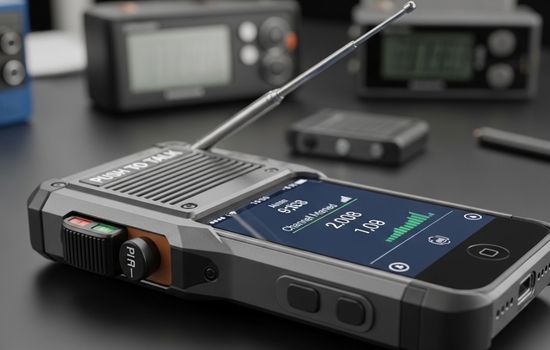
Walkie-talkies are back, but now they live right inside your smartphone—no extra hardware needed, just a quick app download and you’re ready to communicate instantly.


Remember the thrill of using walkie-talkies as a kid? That instant push-to-talk communication made you feel like a secret agent or explorer.
Today’s technology brings that same excitement back, transforming your everyday smartphone into a powerful communication device that works across any distance with internet connectivity.
Whether you’re coordinating a team at work, planning outdoor adventures with friends, or simply looking for a fun and efficient way to stay connected, walkie-talkie apps offer a unique blend of nostalgia and modern functionality.
Let’s explore how these applications work and why they’re becoming increasingly popular among various user groups. 📱
Why Transform Your Phone Into a Walkie-Talkie? 🎯
The concept might seem unusual at first—why would anyone want their sophisticated smartphone to function like an old-school walkie-talkie? The answer lies in the simplicity and immediacy of push-to-talk (PTT) communication.
Unlike traditional phone calls that require dialing, waiting for someone to answer, and formal greetings, walkie-talkie apps enable instant communication. You press a button, speak your message, release, and your recipient hears it immediately. This efficiency makes these apps perfect for situations where quick coordination matters most.
The beauty of modern walkie-talkie apps is that they combine the best of both worlds: the instant communication style of traditional two-way radios with the unlimited range and connectivity of internet-based technology. You’re no longer limited by radio frequencies or distance restrictions.
How Walkie-Talkie Apps Actually Work 🔧
Understanding the technology behind these apps helps you appreciate their capabilities. Unlike traditional walkie-talkies that use radio frequencies, smartphone apps utilize your data connection—either WiFi or mobile data—to transmit voice messages.
When you press the talk button, the app records your voice, compresses it into a digital format, and sends it through the internet to the recipient’s device. This happens in milliseconds, creating an experience that feels instantaneous despite the complex digital processes happening behind the scenes.
Most quality walkie-talkie apps support both one-to-one and group communications. You can create channels or groups where multiple people can listen and respond, making coordination with teams or friend groups seamless and efficient.
Top Features to Look For in Walkie-Talkie Applications ⭐
Not all walkie-talkie apps are created equal. When choosing the right application for your needs, consider these essential features that separate excellent apps from mediocre ones:
- Low latency communication: The delay between speaking and the recipient hearing should be minimal, ideally under one second
- Clear audio quality: Voice messages should come through crisp and understandable, even in noisy environments
- Background operation: The app should work even when your screen is off or you’re using other applications
- Group channel support: Ability to create and manage multiple communication channels for different purposes
- Battery efficiency: Good apps optimize battery usage to prevent rapid drain during extended use
- Privacy controls: Options to create private channels and control who can join your communications
- Cross-platform compatibility: Works seamlessly between Android and iOS devices
- Offline functionality: Some apps offer limited features when internet connectivity is poor
Perfect Use Cases for Walkie-Talkie Apps 🎪
These applications shine in specific scenarios where traditional communication methods fall short. Understanding when to use walkie-talkie apps helps you maximize their potential.
Event Coordination and Management
Whether you’re organizing a wedding, managing a conference, or coordinating volunteers at a community event, walkie-talkie apps enable your team to communicate instantly. Security personnel, event coordinators, and staff members can receive updates without interrupting their current tasks or missing important calls.
Outdoor Adventures and Recreation
Hiking groups, camping enthusiasts, and outdoor adventure teams benefit tremendously from walkie-talkie apps. While traditional radios have limited range, these apps work anywhere with cellular service or WiFi, keeping your group connected across vast distances.
Ski resorts, mountain biking trails, and other recreational activities become safer and more organized when groups can communicate instantly without fumbling with phone calls.
Business and Professional Settings
Retail stores, warehouses, construction sites, and restaurants use walkie-talkie apps to streamline operations. Managers can instantly communicate with floor staff, warehouse coordinators can direct workers efficiently, and kitchen staff can coordinate orders without shouting across spaces.
The professional applications extend to delivery services, security teams, facility management, and any business where rapid communication improves efficiency and response times.

Family Communication
Parents find walkie-talkie apps incredibly useful for keeping tabs on children during shopping trips, theme park visits, or neighborhood activities. The simplicity of push-to-talk makes it easier for kids to use compared to traditional phone calls.
Setting Up Your Smartphone as a Walkie-Talkie 📲
Getting started with walkie-talkie functionality is straightforward, even for those who aren’t particularly tech-savvy. The process typically takes just a few minutes from download to first communication.
First, download a reputable walkie-talkie app from your device’s app store. After installation, you’ll usually need to create an account or profile using your phone number or email address. This step helps the app identify you and connect you with other users.
Next, configure your permissions. Most walkie-talkie apps require access to your microphone (obviously necessary for voice transmission) and notifications (so you know when someone is trying to reach you). Some apps also request location permissions for features like nearby user discovery.
Once configured, you can create or join channels. Think of channels as virtual rooms where specific groups communicate. You might have one channel for work colleagues, another for your hiking group, and a third for family members. This organization keeps conversations separated and relevant.
Privacy and Security Considerations 🔒
When using any communication app, privacy and security should be top priorities. Walkie-talkie apps transmit your voice over the internet, which raises legitimate questions about who else might be listening.
Look for apps that offer end-to-end encryption, meaning your voice messages are scrambled during transmission and can only be decoded by intended recipients. Password-protected channels add another layer of security, preventing unauthorized users from joining your conversations.
Be mindful of what information you share over walkie-talkie apps. While convenient, these platforms shouldn’t be used for highly sensitive business information or personal details unless you’re absolutely certain about the app’s security measures.
Review the app’s privacy policy to understand how your data is stored, whether conversations are recorded, and how long the company retains your information. Reputable apps clearly explain their data practices and give users control over their information.
Comparing Walkie-Talkie Apps to Traditional Two-Way Radios 📡
Traditional walkie-talkies and smartphone apps serve similar purposes but with distinct advantages and limitations. Understanding these differences helps you choose the right tool for your specific needs.
Traditional radios work without internet or cellular service, making them reliable in remote areas where connectivity doesn’t exist. They also don’t consume battery power for data transmission, potentially lasting longer in the field. However, they’re limited by range—typically a few miles at best—and require everyone to have compatible hardware.
Walkie-talkie apps, conversely, work across unlimited distances as long as internet connectivity exists. They don’t require purchasing additional hardware since most people already own smartphones. You can communicate from different cities or even countries effortlessly.
The audio quality of apps typically surpasses traditional radios, especially in challenging environments. Digital transmission handles interference better than analog radio signals, resulting in clearer conversations.
Optimizing Battery Life During Extended Use 🔋
One legitimate concern about walkie-talkie apps is battery consumption. Keeping your microphone active and maintaining constant data connections can drain your phone faster than typical usage.
Several strategies help maximize battery life during extended walkie-talkie sessions. First, adjust your screen brightness to the lowest comfortable level, as the display consumes significant power. Enable battery saver mode if your phone offers one, which limits background processes and optimizes performance.
Close unnecessary apps running in the background. Each open application consumes resources, and having dozens running simultaneously while using your walkie-talkie app accelerates battery drain unnecessarily.
Consider using WiFi instead of cellular data when possible. WiFi connections generally consume less battery power than mobile data, especially in areas with weak cellular signals where your phone works harder to maintain connection.
For all-day events or extended outdoor activities, portable battery packs provide an excellent solution. Modern power banks are compact, affordable, and can recharge your phone multiple times, ensuring your communication stays uninterrupted.
Advanced Features That Enhance the Experience 🚀
Beyond basic push-to-talk functionality, many walkie-talkie apps include advanced features that significantly enhance usability and convenience.
Live location sharing allows group members to see each other’s positions on a map, perfect for coordinating meetups or ensuring everyone’s safety during outdoor adventures. You can quickly locate someone who gets separated from the group without lengthy verbal descriptions of landmarks.
Recording functionality lets you save important voice messages for later reference. This proves valuable in professional settings where you might need to review instructions or in situations where you can’t immediately act on received information.
Text messaging integration within walkie-talkie apps provides flexibility when voice communication isn’t appropriate. Sometimes you need to share information quietly or in situations where talking isn’t possible, and having text options within the same app streamlines communication.
Notification customization helps you distinguish between different channels and contacts. You can assign unique alert sounds to various groups, immediately knowing whether an incoming message is from work colleagues, family members, or your hiking group without checking your phone.
Troubleshooting Common Issues 🔧
Even the best walkie-talkie apps occasionally encounter problems. Knowing how to resolve common issues quickly gets you back to seamless communication.
If you experience audio delays or choppy transmission, check your internet connection first. Poor connectivity causes most quality issues with app-based communication. Switch between WiFi and mobile data to determine which provides better performance in your current location.
When others can’t hear you clearly, verify your microphone permissions. Sometimes app updates or system changes revoke microphone access, preventing the app from recording your voice. Navigate to your phone’s settings and ensure the walkie-talkie app has microphone permissions enabled.
If notifications aren’t working—meaning you don’t receive alerts when someone tries to contact you—check your notification settings both within the app and in your phone’s system settings. Some battery optimization features aggressively limit background activity, preventing apps from notifying you of incoming messages.
For persistent connection problems, try closing and reopening the app, or logging out and back in. This simple step resolves many temporary glitches. If issues continue, check whether an app update is available, as developers regularly release fixes for known problems.
The Social Aspect of Modern Walkie-Talkie Apps 👥
Beyond practical applications, walkie-talkie apps have developed an interesting social dimension. Some platforms include discovery features that let you find and connect with other users who share your interests.
Public channels exist around various topics—hobbies, local communities, professional networks, and more. You can join conversations, make new connections, and expand your social circle through shared interests, similar to social media but with real-time voice interaction.
This social aspect brings the nostalgic fun of CB radio culture into the smartphone era. You can chat with people worldwide, practice foreign languages with native speakers, or simply enjoy casual conversations with interesting individuals you’d never otherwise meet.
However, exercise caution when joining public channels. Not all communities are welcoming, and occasionally you’ll encounter inappropriate behavior. Most quality apps include blocking and reporting features to handle such situations quickly.
Making the Most of Your Walkie-Talkie Experience ✨
To truly maximize what walkie-talkie apps offer, consider adopting some best practices that enhance communication quality and user experience.
Develop a clear communication protocol with your regular contacts. Simple conventions like saying “over” when you finish speaking help prevent people from talking over each other. In group channels, identify yourself before speaking so everyone knows who’s talking.
Keep messages concise and relevant. The beauty of walkie-talkie communication lies in its brevity and directness. Long-winded monologues defeat the purpose and frustrate other channel members waiting to communicate.
Respect quiet hours and appropriate usage times. Unlike text messages that people can read whenever convenient, walkie-talkie transmissions demand immediate attention. Avoid using the app late at night or during times when interruptions would be inappropriate unless it’s genuinely urgent.
Experiment with different apps to find one that suits your specific needs. Each application has unique features, interface designs, and user communities. What works perfectly for one person might not be ideal for another, so don’t hesitate to try several options.
The Future of Push-to-Talk Communication 🌟
Walkie-talkie technology continues evolving, with exciting developments on the horizon. Artificial intelligence integration promises features like automatic language translation, enabling real-time communication between people speaking different languages.
Enhanced augmented reality features might overlay communication controls on your camera view, making hands-free operation more intuitive. Imagine pointing your phone camera at a location while receiving real-time walkie-talkie guidance overlaid on the visual feed.
Improved audio processing algorithms will further reduce latency and enhance quality, making app-based communication indistinguishable from face-to-face conversation despite digital transmission. Background noise cancellation will become more sophisticated, isolating your voice even in extremely loud environments.
Integration with wearable devices like smartwatches and wireless earbuds will make walkie-talkie apps more convenient than ever. You’ll communicate without touching your phone, using voice commands and haptic feedback to control all functions seamlessly.
Wrapping Up Your Walkie-Talkie Journey 🎉
Transforming your smartphone into a walkie-talkie opens up communication possibilities that blend nostalgic simplicity with modern connectivity. Whether you’re coordinating work teams, organizing outdoor adventures, staying connected with family, or simply enjoying instant communication with friends, these apps offer practical solutions to real-world coordination challenges.
The technology has matured significantly, providing reliable, high-quality voice transmission that rivals or exceeds traditional two-way radios while eliminating distance limitations and hardware costs. With proper app selection, configuration, and usage practices, you’ll wonder how you ever coordinated group activities without push-to-talk functionality.
Start exploring walkie-talkie apps today and discover how this communication style can simplify your coordination needs. The learning curve is minimal, setup takes just minutes, and the benefits become immediately apparent once you start using push-to-talk communication in your daily activities. Your smartphone becomes more than just a device for calls and texts—it transforms into a versatile communication tool ready for any situation. 📱✨
