
Grand Theft Auto V remains one of the most beloved open-world games, and millions of players dream of experiencing its thrilling gameplay on mobile devices anytime, anywhere.


The idea of playing GTA 5 on your smartphone sounds almost too good to be true. After all, this massive game was designed for powerful consoles and high-end PCs. However, technological advancements and creative solutions have brought mobile gaming closer to this reality than ever before.
Whether you’re commuting, traveling, or simply relaxing away from your gaming setup, having access to Los Santos in your pocket opens up exciting possibilities. Let’s explore the legitimate options, understand what’s actually available, and separate fact from fiction when it comes to mobile GTA 5 experiences. 🎮
Understanding the Mobile GTA 5 Landscape
Rockstar Games has not released an official, full version of Grand Theft Auto V for iOS or Android devices. This fundamental truth is important to establish upfront, as many players search endlessly for something that doesn’t exist in the form they imagine.
However, this doesn’t mean mobile gamers are completely out of luck. Several alternative solutions and workarounds have emerged over the years, each with its own advantages and limitations. Understanding these options helps you make informed decisions about how to enjoy GTA-style gameplay on your smartphone.
The mobile gaming market has seen various GTA titles officially released by Rockstar, including GTA San Andreas, Vice City, and GTA III. These classics have been optimized for touchscreen controls and mobile hardware, providing authentic Grand Theft Auto experiences that fit in your pocket.
Cloud Gaming: Your Gateway to GTA 5 on Mobile 🌥️
Cloud gaming represents the most legitimate and effective way to play actual GTA 5 on your smartphone. Services like Xbox Cloud Gaming (formerly xCloud), NVIDIA GeForce NOW, and PlayStation Remote Play allow you to stream the full console or PC version directly to your mobile device.
With cloud gaming, the heavy processing happens on remote servers, while your phone simply receives the video stream and sends your input commands back. This means you can experience the complete GTA 5 experience without your device needing powerful hardware.
Xbox Cloud Gaming for GTA 5
If you’re an Xbox Game Pass Ultimate subscriber, you can access GTA 5 through Xbox Cloud Gaming on your Android or iOS device. The service offers remarkable streaming quality when you have a stable internet connection, typically requiring at least 10-20 Mbps for smooth gameplay.
The setup process is straightforward: download the Xbox app, sign in with your Game Pass Ultimate account, connect a Bluetooth controller, and start streaming. While touchscreen controls are available for some games, GTA 5 plays best with a physical controller.
NVIDIA GeForce NOW Alternative
GeForce NOW provides another excellent cloud gaming option, allowing you to play games you already own on platforms like Steam, Epic Games Store, or Rockstar Games Launcher. The free tier offers limited session lengths, while paid subscriptions provide extended playtime and priority access to servers.
The advantage here is flexibility—if you already own GTA 5 on PC, you can stream it to your mobile device without additional purchases. Performance can be exceptional, especially on the premium RTX 3080 tier, which delivers ray tracing and high frame rates.
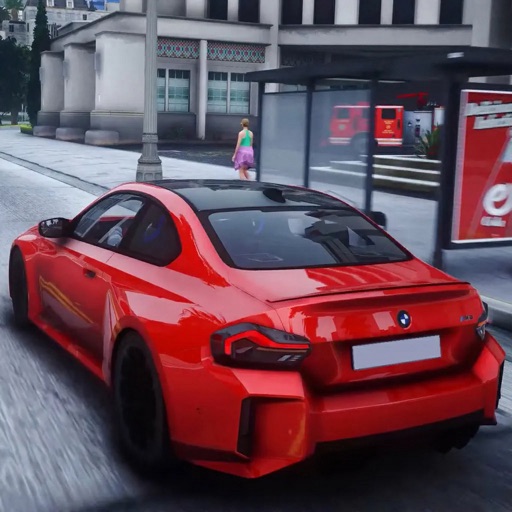
Official Rockstar Mobile GTA Titles Worth Playing
While waiting for GTA 5 to become truly mobile-native (if ever), Rockstar offers several fantastic Grand Theft Auto games optimized specifically for smartphones and tablets. These aren’t watered-down versions—they’re full ports of beloved classics with enhanced graphics and touchscreen-friendly controls.
GTA San Andreas on mobile delivers the complete experience of one of the most celebrated entries in the franchise. You’ll explore the massive state of San Andreas, follow CJ’s compelling story, and enjoy hundreds of hours of gameplay right on your phone.
GTA Vice City brings the neon-soaked 1980s Miami experience to mobile with improved lighting effects, character models, and targeting controls. The nostalgic soundtrack and engaging narrative remain as captivating as ever on smaller screens.
What About GTA 5 Mobile Apps in Stores? 📱
When searching app stores for “GTA 5 mobile,” you’ll encounter various applications claiming to offer the game or related experiences. It’s crucial to approach these with careful scrutiny and realistic expectations.
Some apps are companion applications that work alongside the console or PC version of GTA 5, such as the iFruit app. This official Rockstar app lets you customize license plates, train Chop (Franklin’s dog), and access other supplementary features that enhance your main game experience.
Other apps might be guides, wallpaper collections, or informational resources about GTA 5. These can provide value for dedicated fans but won’t deliver actual gameplay.
Identifying Legitimate vs. Misleading Apps
Unfortunately, the popularity of GTA 5 has spawned numerous misleading apps that promise mobile gameplay but fail to deliver. These applications might use GTA imagery and branding without authorization, often serving as containers for advertisements or attempting to extract personal information.
Before downloading any GTA-related app, check the developer credentials. Official Rockstar Games applications will clearly identify Rockstar Games, Inc. as the developer. Read recent user reviews carefully, as they often reveal whether an app delivers on its promises.
Be particularly wary of apps requiring suspicious permissions unrelated to gaming, asking for payment details outside official app store billing, or promising “free” access to GTA 5 through some special method.
Remote Play: Streaming from Your Own Console
If you own GTA 5 on PlayStation or Xbox, remote play features allow you to stream your own console to your mobile device over your home network or the internet. This differs from cloud gaming by using your personal hardware rather than remote servers.
PlayStation Remote Play works with PS4 and PS5 consoles, letting you connect to your home system and play GTA 5 on your smartphone or tablet. The PlayStation app makes setup simple, and you can use touchscreen controls or connect a compatible controller.
Xbox Remote Play offers similar functionality for Xbox One and Series X|S owners. The experience quality depends heavily on your home network speed and stability, with 5 GHz Wi-Fi connections typically providing the best results.
Technical Requirements for Mobile GTA 5 Streaming ⚙️
Successfully streaming GTA 5 to your mobile device requires meeting certain technical specifications to ensure playable performance. Understanding these requirements helps you determine whether cloud gaming or remote play will work effectively for you.
| Requirement | Minimum | Recommended |
|---|---|---|
| Internet Speed | 10 Mbps | 20+ Mbps |
| Connection Type | 4G/Wi-Fi | 5G/5GHz Wi-Fi |
| Device Storage | 2 GB free | 5+ GB free |
| RAM | 2 GB | 4+ GB |
Latency is perhaps the most critical factor for streaming action games like GTA 5. Even slight delays between your input and on-screen response can make driving and shooting feel unresponsive. Testing your connection during off-peak hours often yields better results.
Battery consumption during game streaming is substantial, so having a portable charger or playing while plugged in is advisable for extended sessions. Streaming high-quality video and maintaining constant network connectivity drains batteries quickly.
Enhancing Your Mobile GTA 5 Experience 🎯
Once you’ve chosen your method for accessing GTA 5 on mobile, several accessories and optimizations can significantly improve your gameplay experience. Investing in the right equipment transforms casual streaming into something approaching console-quality gaming.
A quality Bluetooth controller is essential for comfortable, precise control. Popular options include the Xbox Wireless Controller, PlayStation DualShock 4 or DualSense, and dedicated mobile controllers like the Backbone One or Razer Kishi that attach directly to your phone.
Phone Mounts and Accessories
Phone clips that attach controllers to your device create an integrated handheld gaming system. These accessories position your screen at the perfect viewing angle while keeping everything compact and portable.
For stationary play, a phone stand allows you to position your device at eye level, reducing neck strain during longer gaming sessions. Some stands even include built-in fans to help manage device temperature during intensive streaming.
High-quality headphones enhance immersion through GTA 5’s exceptional audio design. Wireless options provide freedom of movement, though wired headphones eliminate any potential audio latency issues that might compound streaming delays.
Data Consumption and Connection Optimization
Streaming GTA 5 to your mobile device consumes significant amounts of data—typically between 3-10 GB per hour depending on quality settings. If you’re using mobile data rather than Wi-Fi, this can quickly exhaust monthly allowances.
Most cloud gaming services allow you to adjust streaming quality to balance visual fidelity against data consumption. Lower resolution settings use less bandwidth while still providing playable experiences, especially on smaller smartphone screens where the difference is less noticeable.
When using Wi-Fi, positioning yourself closer to your router improves connection stability. If possible, use a wired connection for your router to ensure it has the best possible internet access, even if your final connection to the phone is wireless.
The Future of GTA on Mobile Devices 🚀
As mobile hardware continues advancing at remarkable pace, the gap between smartphone capabilities and traditional gaming platforms narrows each year. Modern flagship phones feature processors approaching console-level performance, creating genuine possibilities for native mobile ports of demanding games.
Rockstar Games has demonstrated willingness to bring their titles to mobile platforms, as evidenced by the excellent ports of earlier GTA games. With GTA VI on the horizon for consoles and PC, speculation naturally turns to whether mobile versions might eventually follow.
5G networks promise the bandwidth and low latency necessary for seamless cloud gaming experiences, potentially making streaming the standard method for accessing high-end games on mobile devices. As this technology becomes widespread, playing GTA 5 on your phone will feel increasingly natural and responsive.
Alternative Open-World Games for Mobile
While pursuing GTA 5 on mobile, consider exploring other exceptional open-world games designed specifically for smartphones and tablets. These titles offer similar freedoms and gameplay styles, optimized for touchscreen controls and mobile hardware.
Gangstar Vegas and Gangstar New Orleans from Gameloft provide GTA-inspired experiences with impressive graphics, vast cities to explore, and engaging storylines. Though not carrying the Rockstar pedigree, these games deliver substantial entertainment value.
PayBack 2 offers multiplayer mayhem with various game modes spanning racing, shooting, and territory control. The diverse gameplay keeps things fresh, and the mobile-first design ensures smooth performance across a wide range of devices.
Safety and Security Considerations 🔒
When exploring options to play GTA 5 on mobile, maintaining awareness of security risks protects your personal information and devices. Scammers frequently exploit popular game titles to distribute malware or conduct phishing attacks.
Never download GTA 5 from unofficial sources or websites claiming to offer “mobile versions” outside official app stores. These downloads often contain malicious software designed to steal information, display aggressive advertisements, or compromise your device security.
Stick exclusively to verified services like Xbox Cloud Gaming, GeForce NOW, PlayStation Remote Play, and official Rockstar apps available through Google Play Store or Apple App Store. These platforms implement security measures protecting both your gaming experience and personal data.
Maximizing Performance and Battery Life
Streaming games places unusual demands on smartphones, requiring sustained network connectivity, video decoding, and continuous screen activity. Managing these factors helps maintain performance and prevents your device from overheating or draining battery excessively.
Close unnecessary background applications before starting your gaming session to free up system resources. Apps running in the background consume processing power and memory that could otherwise support smoother streaming performance.
Reducing screen brightness to comfortable but not maximum levels conserves battery while still maintaining visibility. Most mobile displays are bright enough that moderate settings work perfectly well, especially in indoor environments.
Enable battery saver features cautiously, as some aggressive power management settings might throttle network performance or processing speed, creating stuttering or lag. Find the balance that extends playtime without compromising your gaming experience.
Making the Most of Limited Gaming Sessions ⏰
Mobile gaming often happens in shorter bursts compared to console or PC sessions. Adapting your GTA 5 gameplay approach to this reality helps you accomplish meaningful progress even with limited time.
Focus on specific activities rather than attempting lengthy story missions. Quick challenges, races, or exploration can provide satisfying experiences in 15-30 minute windows without requiring the commitment of multi-hour narrative missions.
Use the quick save feature frequently, especially when streaming. Network interruptions can abruptly end sessions, and regular saves prevent losing progress when unexpected disconnections occur.
GTA Online’s various business activities, daily objectives, and time-limited events work particularly well for mobile play. Checking in to resupply businesses or complete daily tasks fits naturally into brief mobile gaming sessions throughout your day.
Community and Multiplayer Considerations
Playing GTA Online through mobile streaming connects you to the same servers and player community as console and PC gamers. This cross-platform experience means you’re competing and cooperating with players using traditional setups.
Communication can be challenging on mobile without additional accessories. Consider using voice chat through your phone’s built-in microphone and speakers, or better yet, a gaming headset with integrated microphone for clearer team communication.
Competitive disadvantages exist when streaming to mobile versus playing natively on powerful hardware. Accept that precision aiming and split-second reactions might not match dedicated setups, and focus on activities where these differences matter less.
Cost Analysis: What Will You Actually Spend? 💰
Understanding the financial investment required for mobile GTA 5 gaming helps you budget appropriately and choose the most cost-effective solution for your circumstances.
Cloud gaming subscriptions represent the primary ongoing cost. Xbox Game Pass Ultimate costs approximately $16.99 monthly and includes access to hundreds of games beyond just GTA 5. GeForce NOW offers a free tier with limitations, or paid plans ranging from $9.99 to $19.99 monthly.
If you already own the necessary console or gaming PC, remote play is essentially free beyond your existing hardware and game ownership costs. This makes it the most economical option for players with existing investments in gaming equipment.
Quality controllers range from $40-70, while mobile gaming accessories like phone clips and stands add another $15-50. These one-time investments significantly enhance your experience and work across multiple games and services.
Troubleshooting Common Issues 🔧
Even with proper setup, occasional problems can disrupt your mobile GTA 5 experience. Understanding common issues and their solutions minimizes frustration and downtime.
Stuttering or lag typically indicates network problems. Test your connection speed, move closer to your Wi-Fi router, close other devices using bandwidth, or switch from Wi-Fi to mobile data to identify the source.
Input delay makes driving and shooting feel unresponsive. This usually stems from network latency or controller connectivity issues. Ensure your Bluetooth controller is fully charged and properly paired, and consider switching to a wired controller connection if your setup allows.
Video quality degradation often results from automatic quality adjustments responding to bandwidth fluctuations. Manually setting quality levels prevents unwanted changes, though this might increase buffering if your connection can’t sustain the selected quality consistently.
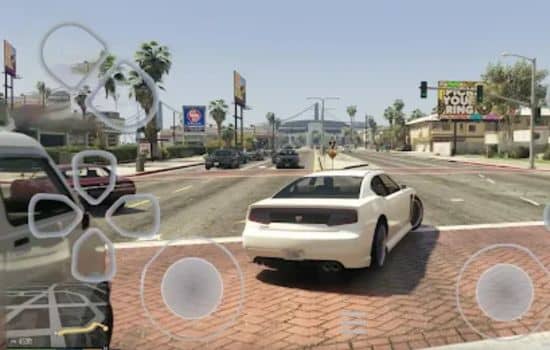
Your Personal Los Santos in Your Pocket 📲
Playing GTA 5 on mobile devices has evolved from impossible dream to genuine reality through cloud gaming technology and streaming solutions. While not identical to native mobile ports, these methods provide authentic experiences that let you enjoy Los Santos anywhere.
The key is managing expectations and choosing the right approach for your specific situation. Cloud gaming services offer convenience and accessibility, remote play leverages hardware you already own, and official mobile GTA titles provide optimized experiences designed specifically for smartphones.
Technology continues advancing rapidly, bringing even better solutions on the horizon. Whether through improved streaming capabilities, more powerful mobile processors, or potential future native ports, the mobile GTA experience will only get better from here.
Start with the options available today, experiment with different services and settings, and discover which solution works best for your gaming preferences and technical setup. The streets of Los Santos are waiting, and now they’re just a tap away on the device you carry everywhere. 🎮✨
