
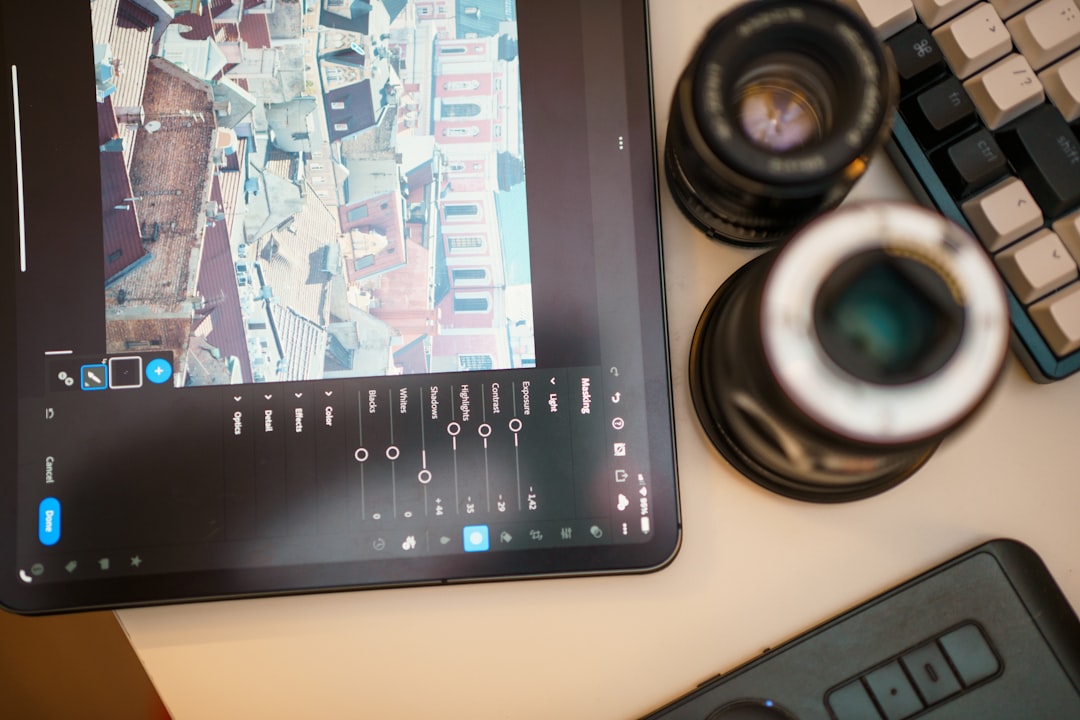
Photo editing apps have revolutionized how we capture, enhance, and share our visual stories in the digital age.
Whether you’re a professional photographer looking to fine-tune your masterpieces or a casual user wanting to add a creative touch to your social media posts, photo editing applications have become indispensable tools in our smartphones. The power that once required expensive desktop software and years of training now fits comfortably in your pocket, accessible with just a few taps.
From basic adjustments like brightness and contrast to advanced features such as AI-powered object removal and professional-grade color grading, modern photo editing apps offer an impressive range of capabilities. The evolution of mobile photography has transformed everyone into potential visual artists, democratizing creativity in ways previously unimaginable. 📱✨
Understanding the Evolution of Mobile Photo Editing
The journey of photo editing apps began with simple filters and basic cropping tools. Early applications offered limited functionality, often requiring users to accept preset adjustments with little room for customization. However, as smartphone cameras improved dramatically, the demand for sophisticated editing tools grew exponentially.


Today’s photo editing landscape features apps that rival professional desktop software in capability. Machine learning algorithms now power intelligent features that can identify subjects, enhance specific elements automatically, and even suggest creative edits based on image content. This technological leap has made professional-quality editing accessible to millions worldwide.
The shift toward mobile-first editing reflects broader changes in how we consume and create content. With billions of photos uploaded to social platforms daily, the ability to quickly enhance images directly from your phone has become not just convenient but essential for content creators, businesses, and everyday users alike.
Essential Features Every Quality Photo Editor Should Have 🎨
When evaluating photo editing applications, certain core features distinguish exceptional tools from mediocre ones. Understanding these capabilities helps you select the right app for your specific needs and creative vision.
Basic Adjustment Controls
The foundation of any good photo editor includes precise control over fundamental image properties. Brightness, contrast, saturation, and exposure adjustments should offer granular control with real-time previews. Quality apps provide intuitive sliders that make these adjustments accessible even to beginners while offering the precision that experienced editors demand.
Temperature and tint controls allow you to correct color casts or create specific moods. Shadows and highlights adjustments help recover detail in overexposed or underexposed areas, extending the dynamic range of your photos beyond what the camera originally captured.
Advanced Editing Tools
Professional-grade photo editors incorporate sophisticated tools that were once exclusive to desktop software. Curves adjustment gives you precise control over tonal ranges, allowing targeted modifications to highlights, midtones, and shadows independently. HSL (Hue, Saturation, Luminance) controls enable selective color adjustments that can dramatically transform your images.
Layer support represents another game-changing feature, allowing non-destructive editing where multiple adjustments, effects, and elements can be stacked, reordered, and modified independently. This flexibility mirrors professional workflows and opens creative possibilities limited only by imagination.
AI-Powered Enhancements
Artificial intelligence has revolutionized photo editing by automating complex tasks that previously required significant skill and time. Smart object removal can cleanly eliminate unwanted elements from photos, intelligently filling the space with content that matches the surrounding areas. Sky replacement features can transform dull skies into dramatic cloudscapes with realistic blending.
Portrait enhancement tools use facial recognition to subtly improve skin texture, brighten eyes, and enhance features while maintaining natural appearance. Background blur effects create professional-looking depth of field, simulating the bokeh effect produced by expensive camera lenses.
Popular Photo Editing Applications Compared
The app marketplace offers dozens of photo editing solutions, each with unique strengths, interfaces, and pricing models. Understanding the landscape helps you identify which tool best matches your editing style and requirements.
Professional-Grade Mobile Editors
Applications like Adobe Lightroom Mobile bring desktop-level capabilities to smartphones, featuring comprehensive adjustment tools, preset management, and seamless cloud synchronization across devices. These apps typically require subscriptions but deliver unparalleled power and integration with professional workflows.
Affinity Photo and Photoshop Express offer similarly robust feature sets, appealing to users who need desktop-software capabilities while working mobile. Their interfaces may present steeper learning curves but reward dedicated users with exceptional creative control.
User-Friendly Options for Casual Editors
Apps like Snapseed provide impressive functionality wrapped in intuitive interfaces that welcome beginners while satisfying more experienced editors. Their gesture-based controls make adjustments feel natural and immediate, reducing the intimidation factor often associated with complex editing software.
VSCO has built a devoted following through its distinctive filter presets and community features, appealing particularly to users seeking consistent aesthetic styles. The app balances simplicity with powerful editing tools hidden beneath its clean interface.
Specialized Editing Applications
Some apps focus on specific editing niches, excelling in particular areas. Facetune specializes in portrait retouching, offering tools specifically designed for enhancing selfies and portrait photography. TouchRetouch focuses exclusively on object removal, delivering exceptional results for this specific task.
Prisma and similar apps apply artistic filters that transform photos into artwork inspired by famous painters and artistic movements, creating distinctive looks impossible to achieve through traditional editing techniques.
Mastering Photo Editing Techniques for Stunning Results 🌟
Having powerful tools means little without understanding how to use them effectively. Developing fundamental editing skills elevates your images from snapshots to compelling visual stories that capture attention and communicate emotion.
Working with Light and Color
Light creates mood, directs attention, and defines the character of photographs. Learning to manipulate exposure, shadows, and highlights allows you to emphasize subject matter and create dimension. Darkening backgrounds naturally draws eyes toward brighter subjects, while lifting shadows reveals hidden detail in darker areas.
Color grading profoundly impacts emotional response to images. Warm tones create inviting, nostalgic feelings, while cooler tones convey modernity, professionalism, or melancholy. Consistent color treatment across image collections establishes recognizable visual identity—crucial for brand building and social media presence.
Composition Enhancement Through Cropping
Thoughtful cropping transforms good photos into great ones by eliminating distractions, strengthening composition, and directing viewer attention. The rule of thirds provides a reliable framework for balanced compositions, though knowing when to break rules distinguishes competent editors from artistic ones.
Aspect ratio selection influences how images are perceived and displayed across different platforms. Square formats work beautifully for Instagram feeds, while wide panoramic crops emphasize landscapes and environmental contexts. Vertical formats dominate stories and portrait-focused content.
Maintaining Natural Aesthetics
Perhaps the most important editing skill involves knowing when to stop. Over-editing produces artificial-looking results that viewers instinctively recognize and often reject. Subtle enhancements that preserve natural textures, realistic colors, and authentic atmosphere typically resonate more powerfully than heavily manipulated images.
Regularly comparing edited versions against originals helps calibrate your editing eye, preventing the gradual intensity creep that occurs when staring at images too long. Taking breaks during editing sessions provides fresh perspective that improves final results.
Creating Consistent Visual Styles with Presets
Developing a signature editing style builds recognition and cohesiveness across your photo collection. Presets—saved combinations of adjustments—streamline workflow while ensuring consistency, making them invaluable for content creators, businesses, and anyone maintaining visual identity.
Creating custom presets begins with identifying editing patterns in your work. Notice which adjustments you repeatedly apply—perhaps you consistently warm tones slightly, reduce saturation in blues, or add specific contrast curves. Recording these preferences as presets allows one-tap application to future images.
Many photographers create preset collections tailored to different lighting conditions or subject types. A preset designed for golden hour portraits may not work for midday landscapes, so building a library of situation-specific presets provides appropriate starting points for various scenarios.
Workflow Optimization for Efficient Editing
Efficiency matters, especially when editing large batches of images or working under time pressure. Developing systematic workflows reduces decision fatigue and accelerates the editing process without compromising quality.
Start with global adjustments that affect the entire image—exposure, white balance, and overall color treatment. Address these foundational elements before moving to localized adjustments like selective color modifications or targeted sharpening. This approach prevents redundant work and maintains clearer creative direction.
Batch editing capabilities allow simultaneous adjustments across multiple images, ideal for event photography or product shoots where consistent treatment is desired. Applying the same preset or adjustment set to an entire series establishes visual continuity while dramatically reducing editing time.
Non-destructive editing workflows preserve original image data, allowing unlimited experimentation without permanent changes. Always maintain backup copies of unedited originals, and use apps that save editing history, enabling you to revisit earlier versions or adjust previous decisions without starting over.
Mobile Photography and Editing for Social Media Success 📲
Social media platforms have transformed into visual-first communication channels where image quality directly impacts engagement, reach, and influence. Understanding platform-specific requirements and audience expectations optimizes how your edited photos perform.
Each platform favors particular aspect ratios and display formats. Instagram emphasizes square and vertical formats for feed posts and stories, while Pinterest prioritizes tall vertical images. Facebook supports various formats but displays differently across mobile and desktop. Editing with final destination in mind prevents awkward cropping or lost visual impact.
Platform compression algorithms reduce image quality during upload, sometimes significantly. Editing with slightly enhanced sharpness and contrast helps images maintain impact after compression, though excessive sharpening creates artifacts that amplify during compression.
Building Visual Consistency in Feeds
Cohesive Instagram feeds demonstrate professionalism and intentionality that attract followers and build brands. This doesn’t require every image to look identical but rather establishing complementary color palettes, consistent mood, and harmonious visual rhythm throughout your grid.
Planning tools allow previewing how new posts integrate with existing content before publishing. This foresight prevents awkward color clashes or composition conflicts that disrupt visual flow. Some creators alternate between specific image types—portraits, landscapes, product shots—creating predictable patterns that viewers find aesthetically pleasing.
Advanced Techniques for Creative Expression 🎭
Once you’ve mastered fundamental editing skills, exploring advanced techniques unlocks new creative dimensions that distinguish your work and develop unique artistic voice.
Double Exposure and Blending Modes
Combining multiple images creates surreal, artistic compositions that transcend single-photograph limitations. Double exposure techniques blend portraits with landscapes, textures, or abstract elements, producing dreamlike results that command attention. Layer-capable apps with blending mode options—like multiply, screen, and overlay—provide tools for sophisticated compositing directly on mobile devices.
Selective Color Techniques
Desaturating entire images except for specific color elements creates dramatic focus and emotional impact. A single red rose in an otherwise black-and-white photo, or highlighting a yellow taxi in grayscale cityscape draws viewers’ eyes powerfully to chosen subjects. This technique requires careful execution to avoid appearing gimmicky but produces striking results when applied thoughtfully.
Texture and Grain Application
Adding film grain or texture overlays introduces character and nostalgia to digital photos that can otherwise appear clinically perfect. Subtle grain emulates analog photography aesthetics that many find warmer and more authentic than pristine digital images. Texture layers add depth and tactile quality that enhances visual interest.
Monetizing Your Photo Editing Skills 💰
Proficiency in photo editing opens multiple income opportunities in today’s visual-content-driven economy. From direct services to digital products, skilled editors find numerous paths to monetization.
Offering editing services to photographers, small businesses, and content creators provides direct income. Many professionals outsource editing to focus on shooting and client relationships, creating steady demand for reliable editors who deliver consistent quality within deadlines.
Creating and selling preset packs generates passive income from your developed editing style. Photographers and content creators constantly seek quality presets that help achieve specific aesthetics efficiently. Platforms like Etsy, Gumroad, and your own website facilitate preset sales with minimal overhead.
Educational content—tutorials, courses, and coaching—monetizes your knowledge while helping others develop skills. The e-learning market continues expanding, and specialized photo editing instruction attracts students from hobbyists to aspiring professionals seeking competitive advantages.
Future Trends in Mobile Photo Editing Technology
The trajectory of photo editing technology points toward increasingly intelligent, automated, and accessible tools that expand creative possibilities while reducing technical barriers.
Artificial intelligence will continue evolving, bringing more sophisticated automatic enhancements that understand not just technical image qualities but artistic intent and emotional impact. Future apps may analyze your editing history to learn personal preferences, automatically suggesting adjustments aligned with your unique style.
Augmented reality integration promises exciting creative possibilities, allowing real-time preview of edits overlaid on physical environments before capturing images. This convergence of capture and editing streamlines workflows and enables experimentation previously impossible.
Computational photography advances blur lines between hardware and software, with editing apps accessing raw sensor data to reconstruct images with capabilities exceeding what cameras alone can produce. This synergy between optics and algorithms redefines photography fundamentals.
Choosing the Right Photo Editing App for Your Needs ✅
With countless options available, selecting the ideal photo editing app depends on your specific requirements, skill level, and creative objectives. Consider these factors when making your decision.
Assess your editing frequency and intensity. Casual users who edit occasionally benefit from free apps with intuitive interfaces and preset filters. Serious hobbyists and professionals who edit extensively should invest in feature-rich applications that support advanced techniques and non-destructive workflows.
Budget considerations influence choices between free, one-time purchase, and subscription models. Free apps often include advertisements or limited features, while premium apps provide full functionality. Subscriptions grant access to regularly updated features and cloud services but require ongoing commitment.
Platform ecosystem matters for users working across multiple devices. Apps offering seamless synchronization between phone, tablet, and computer through cloud services maintain workflow continuity regardless of device. This integration proves invaluable for professionals managing large image libraries.
Trial periods allow testing apps before financial commitment. Most premium applications offer free trials—utilize these to evaluate interfaces, feature sets, and overall fit with your editing style before subscribing or purchasing.

Maximizing Your Photo Editing Journey 🚀
Photo editing represents both technical skill and artistic expression—a balance of understanding tools and developing creative vision. The most sophisticated app in the world cannot compensate for lack of artistic intent, while even basic tools produce remarkable results in skilled hands.
Continuous learning accelerates improvement. Tutorial videos, online courses, and editing communities provide endless education opportunities. Analyzing work by photographers you admire reveals techniques and approaches that inform your developing style. Experimentation without fear of failure cultivates creativity and builds technical proficiency.
Remember that editing serves photography rather than replacing it. Strong compositions, good lighting, and compelling subjects remain fundamental. Editing enhances and refines but cannot transform poor photographs into great ones. Invest time improving photography skills alongside editing techniques for truly exceptional results.
The democratization of photo editing through mobile applications has empowered millions to express creativity, build businesses, and share visual stories with global audiences. Whether you’re documenting family memories, building social media presence, or pursuing professional photography, mastering photo editing apps unlocks potential limited only by imagination and dedication. 🌈📸
