
Video editing has become essential in our digital world, whether for creating content, sharing moments, or building a professional portfolio online.
The demand for quality video content has skyrocketed across social media platforms, making video editing apps more crucial than ever. From TikTok creators to YouTube vloggers, everyone needs accessible tools to transform raw footage into polished, engaging content.
Mobile video editing applications have revolutionized how we create and share visual stories. These powerful tools now offer professional-grade features right at your fingertips, eliminating the need for expensive desktop software or technical expertise. Let’s explore the world of video editing apps and discover how they can elevate your content creation journey.
📱 Why Mobile Video Editing Apps Have Changed Everything
The evolution of smartphone technology has brought desktop-level editing capabilities to our pockets. Modern video editing apps offer impressive features that were once exclusive to professional studios.


Mobile editing provides unmatched convenience and flexibility. You can capture footage, edit it, and publish directly from your device within minutes. This streamlined workflow has empowered millions of creators to share their stories without technical barriers.
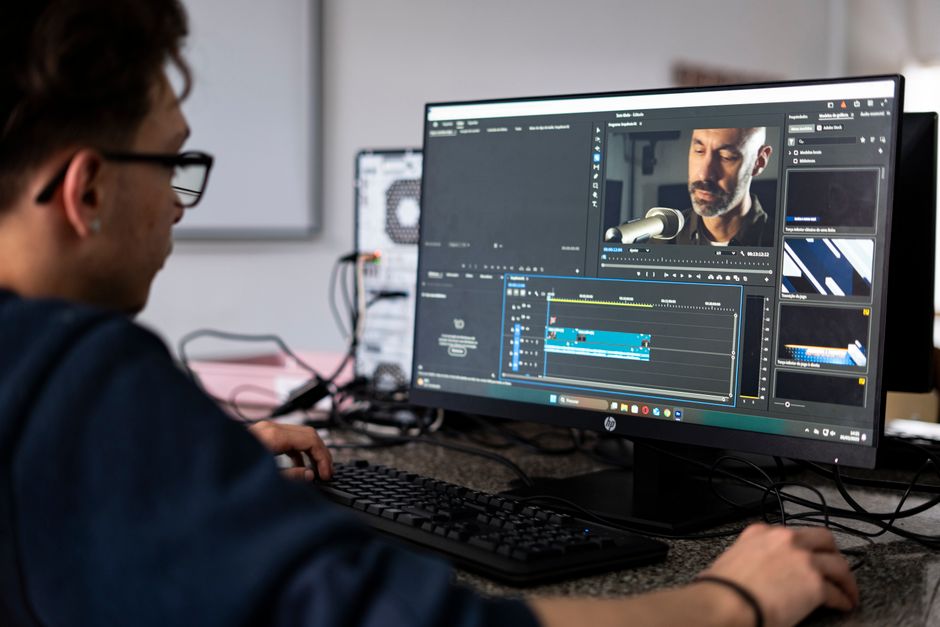
The accessibility factor cannot be overstated. While professional software like Adobe Premiere Pro or Final Cut Pro requires significant investment and learning curves, mobile apps offer intuitive interfaces that beginners can master quickly while still providing advanced tools for experienced editors.
🎬 Essential Features to Look for in Video Editing Apps
When selecting a video editing application, certain features distinguish exceptional tools from mediocre ones. Understanding these capabilities helps you choose the right app for your specific needs.
Timeline Editing and Multi-Layer Support
A robust timeline editor allows precise control over your video sequence. Look for apps that support multiple video and audio layers, enabling you to create complex compositions with overlays, picture-in-picture effects, and sophisticated transitions.
Multi-layer functionality lets you stack elements like text, stickers, and additional footage, creating dynamic content that captures attention. This feature is particularly valuable for tutorial videos, vlogs, and promotional content.
Effects and Filters Library
Quality apps provide extensive libraries of effects, filters, and transitions. These creative tools help establish your unique visual style and maintain consistency across your content portfolio.
Modern filters go beyond basic color adjustments, offering cinematic looks, vintage aesthetics, and trending styles that resonate with contemporary audiences. The ability to customize and save your favorite presets saves considerable time in your editing workflow.
Audio Editing Capabilities
Sound quality often determines video success more than visual elements. Comprehensive audio tools including volume adjustment, noise reduction, and music integration are non-negotiable features.
Advanced apps provide audio ducking, which automatically lowers background music when dialogue occurs, creating professional-sounding results. Access to royalty-free music libraries within the app streamlines the entire production process.
🌟 Top Video Editing Apps Transforming Content Creation
The market offers numerous video editing applications, each with unique strengths. Understanding the landscape helps you identify the perfect match for your creative vision.
CapCut: The Social Media Powerhouse
CapCut has emerged as a favorite among social media creators, particularly for TikTok and Instagram Reels. Its intuitive interface combined with powerful features makes it accessible for beginners while satisfying experienced editors.
The app offers extensive trending effects, templates, and transitions that align perfectly with current social media aesthetics. Its automatic caption generation and voice effects have become signature features that streamline content production.
CapCut’s integration with popular platforms simplifies the publishing process. You can export videos in optimal formats and aspect ratios for different social channels, ensuring your content always looks professional.
VivaVideo: Versatility Meets Simplicity
VivaVideo balances comprehensive editing tools with user-friendly design. The app caters to various content types, from quick social posts to more elaborate productions.
Its theme-based editing system allows users to apply cohesive styles to entire projects instantly. This feature is particularly valuable for maintaining brand consistency across multiple videos.
The app’s slideshow maker converts photos into dynamic video presentations with smooth transitions and music synchronization, perfect for event highlights, travel memories, or product showcases.
InShot: Precision Editing on the Go
InShot specializes in detailed, frame-by-frame editing control while maintaining an accessible interface. The app excels at aspect ratio adjustments, making it ideal for creators who publish across multiple platforms.
Its advanced trimming and splitting tools provide surgical precision when removing unwanted segments or rearranging clips. The timeline visualization helps maintain awareness of your project’s overall structure.
InShot’s text and sticker libraries include thousands of options, with regular updates reflecting current design trends. The animation capabilities for these elements add professional polish to your productions.
💡 Creative Techniques to Elevate Your Mobile Editing
Mastering technical features is just the beginning. Applying creative editing techniques transforms ordinary footage into compelling visual narratives that resonate with audiences.
Rhythm and Pacing Strategies
Understanding rhythm dramatically improves video engagement. Match your cuts to music beats, creating synchronization that feels natural and satisfying to viewers.
Vary your pacing throughout the video to maintain interest. Quick cuts create energy and excitement, while longer takes allow emotional moments to breathe. This dynamic variation prevents viewer fatigue.
Consider your platform’s typical consumption patterns. Instagram Reels and TikTok favor rapid-fire editing, while YouTube content often benefits from more measured pacing that allows deeper storytelling.
Color Grading for Mood and Atmosphere
Color grading establishes emotional tone before viewers consciously process your message. Warm tones convey comfort and nostalgia, while cool colors suggest professionalism or melancholy.
Consistency across your content library builds brand recognition. Develop a signature color palette and apply it systematically, creating visual coherence that audiences subconsciously associate with your channel.
Most mobile apps now include advanced color correction tools previously found only in professional software. Experiment with saturation, temperature, and tint adjustments to discover your unique aesthetic.
Transition Techniques That Enhance Storytelling
Transitions serve functional and aesthetic purposes. Simple cuts remain the most versatile option, maintaining focus on content rather than effects.
Strategic use of dynamic transitions like whip pans, zooms, or match cuts adds visual interest during scene changes. However, restraint is crucial—overusing flashy transitions distracts from your message.
Creative transitions can convey passage of time, location changes, or thematic shifts. A well-executed transition becomes invisible, guiding viewers through your narrative without calling attention to the editing itself.
🚀 Optimizing Your Workflow for Maximum Efficiency
Efficient workflows separate productive creators from those who struggle with time management. Implementing systematic approaches accelerates your editing process without compromising quality.
Pre-Production Planning Saves Editing Time
Successful videos begin long before you open your editing app. Storyboarding or outlining your sequence prevents aimless editing sessions and reduces the footage you need to review.
Shooting with editing in mind dramatically improves efficiency. Capture extra footage at the beginning and end of each clip, providing flexibility during trimming. Record cutaway shots that provide transition options.
Organizing your footage before editing seems tedious but pays enormous dividends. Delete unusable clips immediately and categorize remaining footage by scene or topic for quick retrieval.
Template Systems for Consistent Branding
Creating templates for recurring video types streamlines production. Develop intro and outro sequences, lower-third graphics, and transition packages that reflect your brand identity.
Most modern apps allow you to save custom presets and project templates. This feature enables you to maintain visual consistency while drastically reducing setup time for new projects.
Template usage doesn’t mean sacrificing creativity. View templates as foundations that ensure brand recognition while you focus creative energy on unique content elements.
Export Settings That Matter
Understanding export parameters prevents quality loss and ensures optimal platform performance. Resolution, frame rate, and compression settings directly impact how viewers experience your content.
Different platforms have varying technical requirements. Instagram prioritizes 1080×1920 for Reels, YouTube supports 4K resolution, and TikTok optimizes for 1080×1920. Tailoring exports to each platform maximizes visual quality.
File size affects upload times and storage capacity. Learning to balance quality with file size through appropriate compression settings improves your entire production workflow.
📊 Understanding Platform-Specific Requirements
Each social platform has unique technical specifications and audience expectations. Adapting your editing approach to these variables increases engagement and reach.
Instagram Reels and Stories Optimization
Instagram favors vertical video in 9:16 aspect ratio. The platform’s algorithm promotes content that keeps viewers engaged, making strong opening hooks essential.
Reels perform best between 15-30 seconds, though the platform supports longer durations. Front-loading your most compelling content within the first three seconds dramatically improves completion rates.
Instagram’s audience expects polished, aesthetically pleasing content. Color grading, smooth transitions, and synchronized audio editing are particularly important on this visually-driven platform.
TikTok Editing Strategies
TikTok’s unique culture values authenticity alongside creativity. While production quality matters, overly polished content can feel disconnected from the platform’s spontaneous vibe.
The platform’s trend-driven nature means staying current with popular effects, sounds, and formats. Incorporating trending elements while adding your unique perspective creates content that resonates.
TikTok’s algorithm favors watch time and rewatches. Creating loops or cliffhangers that encourage multiple views improves content performance significantly.
YouTube Content Considerations
YouTube supports longer-form content, allowing deeper storytelling and more complex editing techniques. The platform rewards viewer retention, making pacing and narrative structure crucial.
Thumbnails and opening sequences determine click-through rates. Invest time in compelling title cards and introductions that clearly communicate value while building anticipation.
YouTube’s audience expects higher production values than other platforms. Clear audio, proper lighting in source footage, and thoughtful editing demonstrate respect for viewer time investment.
🎯 Monetization and Professional Growth
As your editing skills develop, opportunities emerge to transform your hobby into income. Understanding monetization pathways helps you set strategic goals.
Building a Content Creation Business
Consistent, quality content attracts brand partnership opportunities. Companies increasingly seek creators who can produce engaging videos showcasing their products authentically.
Developing a media kit that showcases your editing style, audience demographics, and engagement metrics positions you professionally when negotiating with potential sponsors.
Diversifying income streams beyond platform ad revenue creates financial stability. Offering editing services, selling presets or templates, and teaching courses provide alternative revenue sources.
Continuous Learning and Skill Development
The digital landscape evolves constantly. Committing to ongoing learning ensures your skills remain relevant and competitive.
Follow industry leaders, watch tutorials, and experiment with new techniques regularly. The most successful creators maintain curiosity and willingness to adapt their approaches.
Community engagement accelerates learning. Participating in creator groups, sharing work for feedback, and analyzing successful content in your niche provides invaluable insights.
🔮 Future Trends in Mobile Video Editing
Understanding emerging trends positions you at the forefront of content creation innovation. Several developments are reshaping the mobile editing landscape.
Artificial Intelligence Integration
AI-powered features are revolutionizing editing efficiency. Automatic scene detection, smart cropping for different aspect ratios, and intelligent audio enhancement reduce manual work.
Voice-activated editing commands and natural language processing will soon allow creators to edit using conversational instructions rather than manual timeline manipulation.
AI-generated effects and transitions personalized to your style will emerge, learning from your editing patterns to suggest creative options aligned with your aesthetic preferences.
Augmented Reality Features
AR integration in editing apps enables real-time environmental effects and interactive elements. These features create immersive experiences that blur lines between reality and digital enhancement.
As AR technology becomes more accessible, expect editing apps to incorporate sophisticated filters that respond to physical environments, creating dynamic content that adapts to viewer surroundings.
Collaborative Editing Capabilities
Cloud-based collaboration features allow multiple creators to work on projects simultaneously from different locations. This functionality democratizes professional production workflows.
Real-time feedback systems within apps will enable seamless client approval processes, reducing revision cycles and improving communication between creators and stakeholders.
✨ Taking Your First Steps Toward Editing Mastery
Beginning your video editing journey might feel overwhelming, but remember that every expert was once a beginner. Start with simple projects that build fundamental skills.
Download a user-friendly app and experiment with basic cuts, transitions, and text overlays. Focus on completing short projects rather than attempting complex productions immediately.
Analyze videos you admire, identifying editing techniques that create impact. Attempting to recreate these effects develops both technical skills and creative understanding.
Embrace imperfection during your learning process. Each project teaches valuable lessons that compound over time, gradually transforming your capabilities.
The most important step is simply beginning. Your unique perspective and voice deserve to be shared, and video editing apps provide the tools to bring your vision to life.
As you develop proficiency, you’ll discover that mobile editing offers genuine creative freedom. The constraints of working on a smaller screen often spark innovative solutions that distinguish your content from desktop-edited alternatives.
Your journey as a video creator is uniquely yours. Whether you’re documenting personal memories, building a social media presence, or pursuing professional opportunities, mobile editing apps empower you to craft compelling visual stories that resonate with audiences worldwide.
