
Creating engaging video content has never been more accessible, but delivering your message smoothly on camera remains a challenge without the right tools.
Whether you’re a YouTube creator, business professional, educator, or social media influencer, speaking confidently to the camera while remembering your script can feel overwhelming. Teleprompter apps have revolutionized video production by allowing creators to read their scripts naturally while maintaining eye contact with their audience.
These innovative applications transform your smartphone or tablet into a professional-grade teleprompter, eliminating the need for expensive studio equipment. With customizable scrolling speeds, adjustable text sizes, and intuitive controls, anyone can produce polished, professional-looking videos from anywhere. 🎬
Why Video Creators Need Teleprompter Applications
The difference between amateur and professional-looking videos often comes down to delivery. When creators stumble over words, pause awkwardly, or lose their train of thought, viewers notice. A teleprompter app eliminates these issues by displaying your script directly in front of the camera lens.


Traditional memorization techniques require extensive preparation time and multiple takes. Even experienced presenters occasionally forget key points or repeat themselves. With a teleprompter, you can deliver complex information accurately on the first take, saving hours of editing time.
The psychological benefit cannot be overstated either. Knowing your complete script is visible reduces performance anxiety and allows you to focus on tone, pacing, and emotional connection rather than struggling to remember what comes next.
Essential Features That Transform Your Video Production
Modern teleprompter applications offer sophisticated features that rival professional broadcasting equipment. Understanding these capabilities helps you select the right tool for your specific needs.
Customizable Scrolling Speed and Text Display ⚡
The ability to adjust scrolling speed ensures your script moves at exactly the pace you speak. Some apps offer gesture controls, allowing you to speed up, slow down, or pause with simple taps or swipes during recording.
Text customization options include font size, color, background transparency, and line spacing. These adjustments help creators with different visual preferences or recording conditions maintain comfortable reading experiences.
Mirroring and Flip Functions
Professional teleprompter rigs use mirrors to reflect text while keeping cameras positioned correctly. Apps replicate this functionality digitally, flipping text horizontally or vertically depending on your setup configuration.
This feature becomes particularly valuable when using external monitors or specialized teleprompter hardware accessories with your smartphone.
Remote Control Capabilities 📱
Advanced teleprompter apps support remote control through secondary devices. You can operate the teleprompter from a distance using another phone, tablet, or even smartwatch, enabling hands-free recording scenarios.
This functionality proves invaluable for solo creators who need to manage both the script and camera positioning without assistance.
Setting Up Your Mobile Teleprompter System
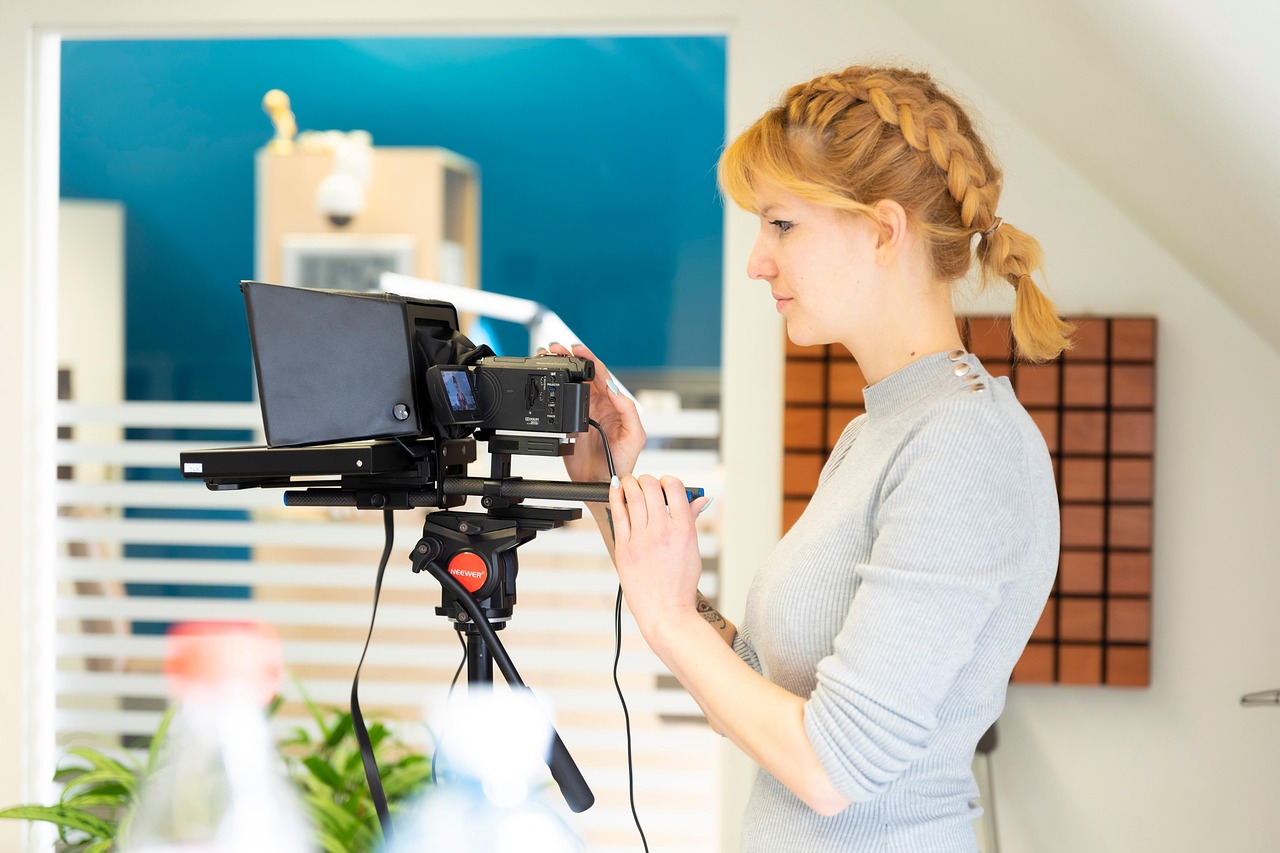
Creating a functional teleprompter setup with your smartphone requires minimal equipment but thoughtful configuration. The basic setup involves positioning your device near eye level, slightly behind or beside your recording camera.
For optimal results, maintain a distance where text remains comfortably readable without requiring you to shift your gaze noticeably away from the camera lens. Most creators find positioning the teleprompter device 1-2 feet from their face works well.
Lighting Considerations for Teleprompter Use 💡
Screen brightness affects both readability and your appearance on camera. A too-bright teleprompter can cause distracting reflections in your eyes or glasses, while insufficient brightness makes reading difficult.
Many teleprompter apps include brightness controls independent of your device’s system settings. Experiment with different levels to find the sweet spot where text remains clear without creating visual artifacts in your footage.
Audio Quality and Teleprompter Distance
Positioning your teleprompter device too close to recording equipment can introduce electronic interference or capture screen refresh sounds. Maintain adequate separation between your teleprompter and microphones to preserve clean audio.
Wireless microphone systems provide flexibility in managing this spacing challenge, allowing optimal teleprompter positioning without compromising sound quality.
Professional Tips for Natural Teleprompter Delivery
Reading from a teleprompter effectively requires practice and technique. The goal is delivering your message as if speaking spontaneously rather than reading, which demands specific skills.
Finding Your Natural Reading Pace 🎯
Start by recording yourself speaking naturally about your topic without a script. Analyze this footage to identify your authentic speaking rhythm, then adjust your teleprompter speed to match this natural pace.
Many creators make the mistake of reading too quickly, trying to match typical silent reading speeds. Your teleprompter should scroll slower than you might initially expect, allowing for natural pauses and emphasis.
Eye Movement and Camera Connection
Experienced teleprompter users develop soft focus reading techniques, absorbing text without intense concentration that creates a “reading” appearance. This skill takes time to develop but dramatically improves perceived authenticity.
Practice reading in phrases rather than individual words, allowing your eyes to capture several words at once. This reduces visible eye movement and creates more natural-looking presentation.
Adding Personality Beyond the Script ✨
Scripts provide structure, but personality comes from delivery variations. Don’t feel enslaved to exact wording—if a more natural phrase occurs to you while recording, use it. Teleprompters serve as guides, not strict mandates.
Mark your scripts with emphasis indicators, pause reminders, or emotional cues. Some apps support rich text formatting, allowing you to bold important words or color-code different delivery instructions.
Different Video Formats and Teleprompter Strategies
Various video content types benefit from different teleprompter approaches. Understanding these distinctions helps you optimize your setup for specific project requirements.
Educational and Tutorial Content 📚
Educational videos often contain complex information, technical terminology, or precise sequences that benefit greatly from teleprompter use. These scripts typically require slower scrolling speeds to accommodate detailed explanations.
Consider breaking longer educational content into smaller script sections, recording in segments rather than attempting entire lessons in single takes. This approach reduces fatigue and maintains consistent energy levels throughout.
Social Media and Short-Form Videos
Platform-specific content like Instagram Reels, TikTok videos, or YouTube Shorts demands concise, energetic delivery. Teleprompters help maintain tight pacing and ensure every second of limited runtime delivers value.
For these formats, memorize opening and closing lines to deliver them with maximum authenticity while using the teleprompter for detailed middle sections where precision matters most.
Corporate and Professional Communications 💼
Business presentations, company announcements, or professional training videos require polished delivery and accurate information. Teleprompters ensure consistent messaging across multiple takes or series installments.
These contexts often demand formal tone maintenance, making teleprompters particularly valuable for staying on-message without inadvertent casual language or off-topic tangents.
Overcoming Common Teleprompter Challenges
Even experienced users encounter obstacles when working with teleprompter technology. Recognizing and addressing these challenges improves results significantly.
Managing Script Length and Recording Stamina
Long scripts create physical and mental fatigue, affecting delivery quality as recordings progress. Human attention spans and energy levels naturally decline, making later sections noticeably less dynamic than earlier material.
Break extensive scripts into manageable chunks, taking breaks between sections to maintain consistent performance quality throughout your video.
Dealing with Unexpected Script Changes 🔄
Last-minute revisions happen frequently in content creation. Choose teleprompter apps that allow quick editing and instant synchronization, enabling you to make changes without complicated export-import processes.
Cloud-based script storage features let you edit content on your computer and have changes immediately available on your recording device, streamlining the revision workflow.
Technical Glitches During Recording
Device crashes, app freezes, or accidental scrolling interruptions can derail otherwise perfect takes. Always maintain backup script copies in alternative formats and familiarize yourself with your app’s recovery features.
Some teleprompter applications offer auto-save functionality that preserves your position within scripts, allowing quick resumption after technical difficulties.
Enhancing Your Setup with Accessories and Hardware
While teleprompter apps work standalone, certain accessories dramatically improve functionality and professional results.
Smartphone Mounts and Stabilization 📸
Secure mounting systems keep your teleprompter device steady and positioned precisely where needed. Adjustable arms or tripod attachments offer flexibility for different recording scenarios and camera arrangements.
Stability matters significantly—even slight teleprompter movement during reading creates disorienting experiences that disrupt delivery flow.
External Monitors for Larger Text Display
Connecting your teleprompter app to external displays via HDMI or wireless protocols provides larger reading surfaces, particularly beneficial for users with vision challenges or complex setups requiring greater camera distance.
Tablet devices offer middle-ground solutions, providing more screen real estate than smartphones without requiring additional hardware connections.
Bluetooth Remotes for Professional Control 🎮
Dedicated Bluetooth remote controls designed for teleprompter operation offer precise scrolling adjustments, pause functions, and speed modifications without touching your device.
These accessories enable completely hands-free operation, allowing you to gesture naturally, hold props, or maintain specific postures while recording.
Maximizing Efficiency in Your Video Workflow
Integrating teleprompter technology effectively requires thoughtful workflow design that maximizes time savings and quality improvements.
Script Preparation Best Practices 📝
Write scripts in your natural speaking voice rather than formal written language. Read drafts aloud during preparation, identifying awkward phrasings before recording begins.
Format scripts with short paragraphs, clear section breaks, and visual breathing room. Dense text blocks become difficult to read at a glance, increasing the likelihood of delivery stumbles.
Recording Session Organization
Prepare your complete setup before starting creative work—adjust teleprompter position, test scrolling speed, verify text readability, and confirm all technical elements function correctly.
This preparation prevents momentum-killing interruptions during recording sessions when your creative energy and on-camera presence are most valuable.
The Future of Mobile Teleprompter Technology
Teleprompter applications continue evolving with sophisticated features powered by artificial intelligence and advanced mobile hardware capabilities.
Emerging technologies include voice-activated scrolling that automatically adjusts to your speaking pace, AI-powered script optimization suggesting delivery improvements, and augmented reality implementations that overlay text directly into camera viewfinders. 🚀
These innovations promise even more seamless integration between script reading and authentic presentation, further democratizing professional-quality video production for creators worldwide.
Choosing the Right Teleprompter App for Your Needs
Selecting appropriate teleprompter software depends on your specific content type, recording frequency, and budget considerations. Free applications offer basic functionality suitable for occasional users, while premium options provide advanced features for serious content creators.
Evaluate apps based on interface intuitiveness, feature completeness, customer support quality, and update frequency. Active development indicates ongoing improvements and compatibility with new device models and operating system versions.
Trial periods or free versions allow hands-on evaluation before committing to purchases, helping you identify which features genuinely enhance your workflow versus unnecessary complexity. 💎
Transforming Your Video Content Today
Teleprompter applications represent one of the most impactful investments you can make in your video content quality. The combination of professional delivery, time savings, and reduced performance anxiety creates immediate, noticeable improvements in your final productions.
Whether you’re creating YouTube tutorials, corporate presentations, social media content, or educational materials, teleprompter technology helps you communicate more effectively and confidently. The barrier between your ideas and polished execution diminishes significantly when you’re no longer struggling to remember what comes next.
Start experimenting with teleprompter apps today and discover how this simple tool can elevate your video content from amateur recordings to professional productions that engage and inform your audience with clarity and confidence.
