
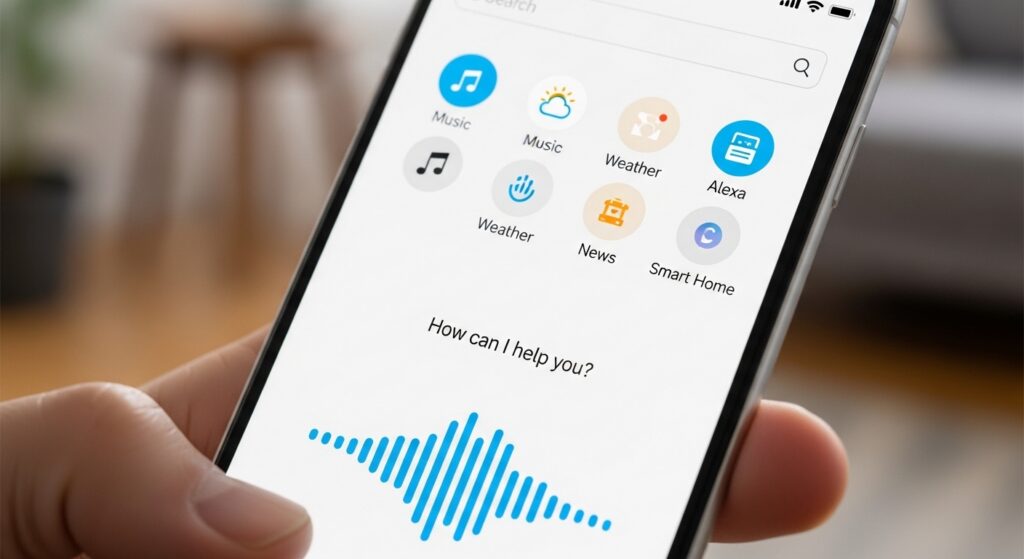
Want to turn your smartphone into a voice-activated assistant just like Amazon’s Alexa? Discover the best apps that make it possible.
Voice assistants have revolutionized how we interact with technology. While many people associate Alexa exclusively with Amazon Echo devices, the truth is you can enjoy similar functionality right from your smartphone. Whether you’re managing smart home devices, setting reminders, or streaming music, these applications bring powerful voice commands to your fingertips.
The beauty of transforming your phone into an Alexa-like assistant lies in the convenience and accessibility it offers. You don’t need to invest in expensive hardware—your existing smartphone becomes a multipurpose command center. Let’s explore the apps that deliver this experience and how they can enhance your daily routine.
📱 Amazon Alexa: The Official Gateway to Voice Control
The official Amazon Alexa app remains the most direct way to bring Alexa’s capabilities to your mobile device. Available for both iOS and Android, this application transforms your phone into a portable version of the Echo smart speaker, offering nearly all the same features you’d expect from the dedicated hardware.


Once installed, you can ask Alexa to play music, check the weather, control compatible smart home devices, and answer countless questions. The app integrates seamlessly with your Amazon account, syncing preferences, shopping lists, and personalized settings across all your Alexa-enabled devices.
One standout feature is hands-free mode on supported Android devices. This allows you to activate Alexa with just your voice, even when your phone is locked—mimicking the always-listening capability of Echo devices. For iPhone users, while hands-free activation is more limited, you can still access Alexa through the app or by adding a Siri Shortcut for quick access.
🎯 Key Features of the Amazon Alexa App
- Smart Home Control: Manage lights, thermostats, locks, and hundreds of compatible devices from anywhere
- Music Streaming: Connect to Spotify, Apple Music, Amazon Music, and other streaming services
- Shopping Integration: Add items to your cart, track orders, and make purchases with voice commands
- Skills Ecosystem: Access thousands of third-party skills that expand Alexa’s capabilities
- Routines: Create automated sequences that trigger multiple actions with a single command
- Drop In & Calling: Make voice and video calls to other Alexa users or devices
The setup process is straightforward. After downloading the app, sign in with your Amazon credentials, grant necessary permissions, and follow the guided walkthrough. Within minutes, you’ll be issuing voice commands and experiencing the convenience that has made Alexa a household name.
🤖 Google Assistant: The Android Native Alternative
For Android users especially, Google Assistant offers a compelling alternative that’s deeply integrated into the operating system. While not technically “Alexa,” it provides comparable—and in some areas, superior—voice assistant functionality that transforms your phone into an intelligent companion.
Google Assistant comes pre-installed on most modern Android devices and is also available for iOS. Its strength lies in Google’s vast knowledge graph and search capabilities, making it exceptionally good at answering factual questions, providing real-time information, and understanding context across multiple queries.
The assistant can control smart home devices through Google Home integration, manage your calendar, send messages, navigate to locations, and perform countless tasks through voice commands. Its natural language processing often feels more conversational than competitors, understanding follow-up questions and maintaining context throughout interactions.

✨ Why Google Assistant Stands Out
Google Assistant excels in several areas that make it worth considering alongside or instead of Alexa. Its integration with Google services means seamless access to Gmail, Calendar, Photos, and Maps. If you’re already invested in the Google ecosystem, the synergy is undeniable.
The Continued Conversation feature allows you to have back-and-forth exchanges without repeatedly saying “Hey Google,” making interactions feel more natural. Google’s superior search capabilities mean you get more accurate answers to complex questions, with information pulled from the world’s most comprehensive search engine.
For multilingual households, Google Assistant supports over 30 languages and can understand two languages simultaneously, switching between them seamlessly—a feature that sets it apart from many competitors.
🍎 Siri Shortcuts: Customizing iOS Voice Control
Apple users have Siri built into every iPhone, but the Shortcuts app takes voice control to another level. While Siri itself isn’t Alexa, Shortcuts allows you to create custom voice commands that trigger complex sequences of actions—essentially building your own personalized voice assistant.
The Shortcuts app lets you design workflows that combine multiple apps and actions. You can create a “Good Morning” routine that reads your calendar, checks traffic to work, and starts your favorite podcast—all with a single voice command. These custom shortcuts can be activated through Siri, making your iPhone respond to personalized phrases.
Interestingly, you can also use Shortcuts to integrate the Alexa app more deeply into iOS. By creating a Siri Shortcut that opens Alexa and activates listening mode, you effectively create a faster path to Amazon’s assistant, bypassing the need to open the app manually.
🔧 Building Powerful Automation with Shortcuts
The true power of Shortcuts emerges when you start combining actions across different apps. You can create a shortcut that sends a message to your family, adjusts your smart thermostat, and orders your usual coffee—all triggered by saying “I’m heading home” to Siri.
The Gallery within the Shortcuts app features hundreds of pre-made shortcuts created by Apple and the community, covering everything from productivity to entertainment. You can download these instantly or use them as templates to create personalized versions.
For those who want Alexa-like routines on iPhone, Shortcuts fills that gap beautifully. Combined with HomeKit-compatible smart home devices, you can build comprehensive voice-controlled environments without ever touching an Echo device.
🔊 Reverb for Amazon Alexa: Enhanced Mobile Experience
Reverb is a third-party Android app designed specifically to enhance the Alexa experience on mobile devices. While the official Alexa app is excellent, Reverb focuses on making voice interaction faster and more accessible from your phone’s home screen and lock screen.
This app adds floating widgets and quick-access buttons that let you invoke Alexa without opening the full application. For users who frequently interact with Alexa throughout the day, these shortcuts significantly streamline the experience, making your phone feel more like a dedicated Echo device.
Reverb also offers customizable wake words and visual feedback during conversations, creating a more engaging interaction. The app supports all standard Alexa features while adding interface improvements that the official app doesn’t provide.
💡 Maximizing Your Voice Assistant Experience
Regardless of which app you choose, getting the most from your mobile voice assistant requires some optimization. Start by exploring the settings and customizing the experience to match your habits and preferences. Enable hands-free activation if available, and take time to train the assistant to recognize your voice more accurately.
Integrate your smart home devices thoughtfully. Group lights and devices by room, create meaningful names that are easy to say, and establish routines for common scenarios like waking up or leaving home. The more you customize, the more natural and helpful voice control becomes.
🏠 Smart Home Integration Tips
When connecting smart devices, consistency matters. Use the same naming conventions across all platforms—if you call a room “Living Room” in one app, use that exact phrase everywhere. This prevents confusion when issuing voice commands.
Take advantage of scenes and routines. Instead of saying “turn off the living room lights, set the thermostat to 68 degrees, and lock the front door,” create a “Goodnight” routine that does all three with a single command. This reduces complexity and makes voice control genuinely convenient.
Regularly review which devices are connected and remove any you no longer use. A cluttered smart home setup leads to slower response times and potential conflicts when similar device names exist.
🎵 Entertainment and Media Control on the Go
One of the most popular uses for voice assistants is controlling media playback. Whether you’re using Alexa, Google Assistant, or Siri, your phone becomes a powerful remote control for music, podcasts, and audiobooks.
Link your preferred streaming services within each assistant’s settings. Once connected, you can request specific songs, artists, genres, or playlists without touching your phone. This is particularly valuable while driving, exercising, or cooking—situations where hands-free control enhances both safety and convenience.
Create playlists specifically for voice requests. Generic commands like “play workout music” work better when you’ve created and named playlists accordingly. Most voice assistants learn your preferences over time, improving recommendations the more you use them.
📅 Productivity and Organization Features
Beyond entertainment and smart home control, voice assistants excel at helping you stay organized. Setting reminders, creating calendar events, and managing to-do lists becomes effortless through voice commands.
The key is choosing an assistant that integrates with your existing productivity tools. Google Assistant works seamlessly with Google Calendar and Tasks. Alexa integrates with Amazon’s own task management and can sync with Outlook and other services. Siri connects naturally with Apple’s Reminders and Calendar apps.
Develop a habit of verbalizing tasks as they occur to you. When you think “I need to call the dentist tomorrow,” immediately tell your assistant to remind you. This offloads mental burden and ensures important tasks don’t slip through the cracks.
⏰ Time Management Through Voice
Use timers extensively. Whether cooking, working in focused blocks, or limiting screen time, voice-activated timers require zero effort to set. You can run multiple timers simultaneously, naming each one for easy identification.
Morning and evening routines become more consistent when automated. A morning briefing can include weather, traffic, calendar appointments, and news—all delivered while you’re getting ready. Evening routines can remind you of tomorrow’s commitments and help you wind down.
🔒 Privacy Considerations and Settings
Voice assistants require access to your microphone and, depending on features, location and other sensitive information. Understanding and managing these permissions is crucial for maintaining privacy while enjoying convenience.
All major voice assistant apps include privacy controls that let you review and delete voice recordings. Alexa users can access their voice history through the app and delete individual recordings or everything at once. Google provides similar controls through your Google Account’s activity management.
Consider disabling hands-free activation if you’re concerned about always-listening functionality. This requires manually opening the app or pressing a button to activate the assistant, providing an extra layer of privacy while maintaining core functionality.
Review connected third-party skills and permissions regularly. Remove access for services you no longer use, and be selective about which skills you enable. Each additional integration represents another data connection to consider.
🌟 Choosing the Right Assistant for Your Needs
The best voice assistant for transforming your phone depends on your existing ecosystem and priorities. Amazon Alexa makes the most sense if you own Echo devices, use Amazon Prime extensively, or have invested in Alexa-compatible smart home products.
Google Assistant shines when you’re deeply integrated with Google services—Gmail, Calendar, Photos, and Chrome. Its superior search capabilities and natural language understanding make it excellent for information queries and general assistance.
iPhone users might find that combining Siri with Shortcuts and selectively using the Alexa app provides the best overall experience, leveraging Apple’s system-level integration while accessing Amazon’s ecosystem when needed.
There’s no rule against using multiple assistants. Many power users install several apps and choose which one to use based on the specific task. Alexa for shopping and smart home control, Google Assistant for questions and navigation, and Siri for iOS-specific functions creates a comprehensive voice control system.
🚀 Future of Mobile Voice Assistants
Voice technology continues evolving rapidly. AI improvements make assistants better at understanding context, accents, and natural speech patterns. The gap between asking a human for help and asking a digital assistant narrows with each update.
Integration across platforms is improving. Apple’s HomeKit, Google Home, Amazon Alexa, and the new Matter smart home standard are working toward greater compatibility, meaning your choice of voice assistant will increasingly matter less for device control.
Privacy-focused alternatives are emerging as well. Open-source voice assistants and on-device processing technologies promise powerful voice control without cloud dependencies, appealing to users who value privacy above all else.
Your smartphone’s transformation into a capable voice assistant represents just the beginning. As technology advances, these tools will become even more intuitive, helpful, and seamlessly integrated into daily life. The best time to start exploring these capabilities is now—download the apps, experiment with commands, and discover how voice control can simplify your routine.
