
Accidentally deleted precious photos from your phone? Don’t panic—specialized apps can help you recover those irreplaceable memories quickly and effectively.


We’ve all experienced that sinking feeling when we realize we’ve accidentally deleted important photos. Whether it was a birthday celebration, a special vacation moment, or simply cherished family pictures, losing digital memories can feel devastating.
Fortunately, modern technology offers powerful solutions to recover deleted photos directly from your smartphone.
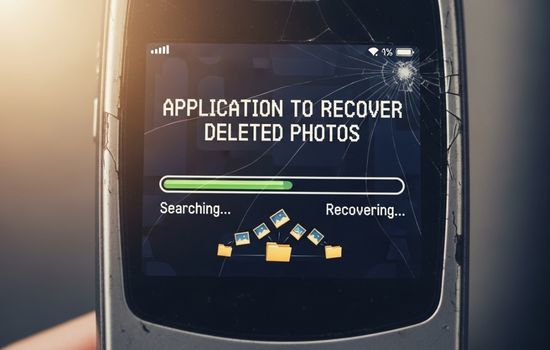
Photo recovery apps have evolved significantly over recent years, becoming more accessible and user-friendly. These specialized tools scan your device’s storage system, searching for remnants of deleted files that haven’t been permanently overwritten.
Understanding how these applications work and which ones deliver the best results can make the difference between recovering your memories or losing them forever.
📱 How Photo Recovery Apps Actually Work
When you delete a photo from your smartphone, the file doesn’t immediately disappear from the device’s physical storage. Instead, the operating system simply marks that space as available for new data. Until something else overwrites that specific location, the deleted photo technically still exists on your device—just invisible to normal browsing.
Recovery applications exploit this characteristic by performing deep scans of your device’s storage sectors. They search for file signatures and data patterns that match image formats like JPEG, PNG, or RAW files. Once identified, these apps reconstruct the files and present them for recovery.
The success rate depends heavily on timing. The sooner you attempt recovery after deletion, the higher your chances of complete restoration. If you’ve continued using your device extensively after the deletion—installing apps, taking new photos, or downloading files—the probability of successful recovery decreases as new data gradually overwrites the old.
🏆 Top Features to Look for in Photo Recovery Apps
Not all recovery applications offer the same capabilities or user experience. When selecting the right tool for your needs, consider these essential features:
- Deep scanning technology: The app should perform thorough scans beyond surface-level deleted files, reaching into hidden storage areas where remnants persist.
- Preview functionality: Before committing to recovery, you should be able to preview found images to verify they’re intact and worth restoring.
- Multiple file format support: The best apps recognize various image formats including JPEG, PNG, GIF, RAW, HEIC, and even video files.
- Cloud integration: Some advanced apps can also recover photos from cloud backup services that you might have forgotten about.
- User-friendly interface: Technical complexity shouldn’t prevent you from recovering your memories—intuitive design matters significantly.
- Selective recovery: Rather than restoring everything, quality apps let you choose specific images to recover, saving storage space.
🔍 Understanding Different Types of Photo Loss
Photo recovery apps handle various deletion scenarios differently. Understanding your specific situation helps you choose the most appropriate recovery method.
Accidental Manual Deletion
This represents the most common scenario—you were browsing your gallery and accidentally tapped delete on the wrong photo or selected multiple images unintentionally. These files are typically the easiest to recover since deletion was recent and deliberate overwriting unlikely.
Factory Reset or Formatting
A factory reset or SD card formatting creates a more challenging recovery situation. While the data remains technically present, the file system structures are reset, making reconstruction more complex. Advanced recovery apps with deep scanning capabilities perform best in these scenarios.
System Crashes or Software Failures
Sometimes photos disappear due to operating system glitches, app crashes, or unexpected shutdowns during file transfers. These situations often leave data in fragmented states, requiring sophisticated algorithms to piece together usable files.
Physical Damage or Corruption
If your device or SD card suffered physical damage, or if storage became corrupted, recovery becomes significantly more difficult. Some specialized apps can handle minor corruption, but severe cases might require professional data recovery services.

⚡ Step-by-Step Guide to Recovering Deleted Photos
Following the proper recovery procedure maximizes your chances of successful restoration. Here’s a comprehensive approach that works with most recovery applications:
Step 1: Stop Using Your Device Immediately
The moment you realize photos were deleted, minimize further device usage. Every new photo taken, app installed, or file downloaded risks overwriting the deleted data you’re trying to recover.
Step 2: Download a Reputable Recovery App
Research and select a trusted photo recovery application. Check user reviews, ratings, and expert recommendations. Install it as soon as possible—preferably downloading directly to your device rather than transferring from a computer.
Step 3: Grant Necessary Permissions
Recovery apps require extensive storage access permissions to scan deeply. When prompted, allow the app full access to your device’s internal storage and SD card. Without these permissions, the scan will be superficial and ineffective.
Step 4: Choose the Appropriate Scan Type
Most apps offer quick scans and deep scans. Quick scans find recently deleted files faster but may miss older deletions. Deep scans take considerably longer but thoroughly examine storage sectors for any recoverable data remnants.
Step 5: Review and Preview Results
Once scanning completes, browse through the discovered files. Use the preview feature to verify image integrity before recovery. Some files may be partially corrupted—preview helps you identify which ones are worth saving.
Step 6: Select Recovery Location
When recovering files, avoid saving them to the same location where they were deleted. If recovering from internal storage, save to an SD card or cloud service. If recovering from an SD card, save to internal storage. This prevents accidental overwriting during the recovery process.
Step 7: Verify Recovered Files
After recovery completes, open the restored photos to confirm they’re viewable and uncorrupted. Occasionally, files that preview correctly still contain underlying issues that only become apparent when fully opened.
💡 Prevention: Protecting Your Photos from Future Loss
While recovery apps are powerful tools, preventing photo loss in the first place is always preferable. Implementing these strategies creates multiple safety nets for your digital memories.
Enable Automatic Cloud Backup
Services like Google Photos, iCloud, Dropbox, and OneDrive offer automatic photo backup functionality. Once configured, every photo you take uploads to cloud storage, creating an off-device copy. Even if your phone is lost, damaged, or files deleted, your images remain safely stored online.
Use the Trash/Recently Deleted Folder
Modern smartphones include built-in safety features. Both Android and iOS systems now feature “Recently Deleted” folders that retain deleted photos for 30 days before permanent removal. Check this folder first before resorting to recovery apps—restoration from here is instantaneous and guaranteed.
Regular External Backups
Periodically transfer photos to a computer, external hard drive, or NAS (Network Attached Storage) device. Creating multiple backup copies across different physical locations protects against simultaneous failures and provides maximum security for irreplaceable memories.
Organize with Albums and Favorites
Properly organizing your photo library reduces accidental deletion risks. Create albums for important events, mark significant photos as favorites, and regularly archive older images. This organization makes it less likely you’ll accidentally delete something important during routine cleanup.
🔐 Privacy and Security Considerations
Photo recovery apps require deep access to your device’s storage, raising legitimate privacy concerns. When selecting and using these applications, keep security considerations in mind.
Always download recovery apps from official sources like Google Play Store or Apple App Store. Avoid third-party app repositories that might distribute modified versions containing malware. Official stores implement security checks that significantly reduce malicious software risks.
Review the app’s permission requests carefully. While storage access is necessary for functionality, be wary of apps requesting unrelated permissions like contacts, call logs, or SMS access. Legitimate recovery apps shouldn’t need access beyond storage and possibly network connectivity for premium features.
Consider the app’s privacy policy, especially regarding data collection practices. Some free apps monetize through advertising or data collection. Premium paid versions often offer better privacy protection by eliminating these revenue streams.
After successfully recovering your photos, consider uninstalling the recovery app if you won’t need it regularly. This removes the broad storage permissions from your device, reducing potential security vulnerabilities.
📊 Comparing Free vs. Premium Recovery Apps
Photo recovery apps typically offer both free and paid versions, each with distinct advantages and limitations. Understanding these differences helps you make informed decisions about which option suits your needs.
| Feature | Free Version | Premium Version |
|---|---|---|
| Scan capabilities | Basic scan, limited depth | Deep scan, advanced algorithms |
| File preview | Usually available | Full resolution preview |
| Recovery quantity | Limited files per session | Unlimited recovery |
| File size limits | Often restricted | No restrictions |
| Advertisements | Present throughout app | Ad-free experience |
| Customer support | Community forums only | Direct support access |
| Additional features | Basic functionality | Cloud recovery, batch processing |
For occasional use or recovering just a few important photos, free versions often suffice. However, if you’re dealing with extensive photo loss, need advanced scanning capabilities, or value ad-free experience, premium versions justify their cost through enhanced features and better success rates.
🛠️ Troubleshooting Common Recovery Problems
Even with the best recovery apps, you might encounter obstacles during the recovery process. Here are solutions to frequent challenges:
App Can’t Find Deleted Photos
If scans return no results, the deleted photos may have been completely overwritten. Try different recovery apps, as they use varying algorithms and might detect files others miss. Alternatively, attempt recovery using computer-based software that often provides more powerful scanning capabilities than mobile apps.
Recovered Photos Are Corrupted
Partially overwritten files may preview correctly but open as corrupted images. Try recovering multiple copies if the scan found duplicates—sometimes different versions have varying corruption levels. Specialized image repair tools might salvage partially damaged files by reconstructing missing data.
Recovery Process Takes Extremely Long
Deep scans of large storage capacities naturally require significant time. Ensure your device remains plugged into power during extended scans to prevent interruption. If a scan seems frozen, check the app’s activity indicator—slow progress doesn’t necessarily mean malfunction.
Insufficient Storage for Recovery
If your device lacks space to save recovered files, connect an external SD card or use cloud storage as the recovery destination. Alternatively, temporarily remove other large files to create space, then restore them after photo recovery completes.
🌟 Making the Most of Your Recovery App
Maximizing recovery success requires understanding optimal usage practices. These advanced tips improve your chances of complete photo restoration:
Perform recovery in airplane mode to minimize background processes that might write new data to storage during scanning. This isolation maximizes available system resources for the recovery operation while preventing potential data overwrites.
If recovering from an SD card, remove it from your phone and use a card reader with a computer for recovery. Computer-based recovery software generally offers more sophisticated algorithms and processing power than mobile apps, increasing success rates for challenging recoveries.
Document your recovery settings and results. If the first attempt yields partial success, knowing exactly which scan type, depth level, and settings you used helps you adjust parameters for subsequent attempts without wasting time repeating unsuccessful approaches.
Consider recovering in batches rather than all at once, especially when dealing with hundreds or thousands of found files. This approach reduces overwhelming your device’s resources and allows you to prioritize recovering the most important photos first.
🎯 When to Seek Professional Data Recovery Services
While mobile recovery apps handle most deletion scenarios effectively, certain situations exceed their capabilities. Recognizing when professional intervention becomes necessary saves time and prevents further data loss.
Physical device damage that prevents normal operation requires professional attention. Data recovery laboratories possess specialized equipment for extracting data from non-functional devices, including microscopic-level chip reading capabilities impossible with software alone.
If multiple recovery apps consistently fail to find your deleted photos, and those photos are critically important, professional services justify their higher cost. These specialists use proprietary tools and techniques unavailable in consumer applications.
Water damage, fire damage, or severe corruption cases benefit from professional assessment. Attempting DIY recovery in these situations might cause additional harm, further reducing recovery possibilities.
Professional services typically charge based on storage capacity and problem complexity, ranging from moderate fees for straightforward cases to substantial costs for severe damage requiring cleanroom work. Always request quotes and success probability estimates before committing to expensive professional recovery services.
✨ Real Success Stories and Realistic Expectations
Understanding what’s realistically achievable helps set appropriate expectations when using photo recovery applications. While these tools achieve remarkable results in many cases, they’re not miracle workers.
Recent accidental deletions boast the highest success rates, often approaching 100% recovery when addressed immediately. Users report reliably recovering photos deleted within 24 hours, provided the device wasn’t heavily used afterward.
Factory reset scenarios show more variable results. Some users recover substantial photo collections weeks after resets, while others retrieve only fragments. Success depends on how much the device was used post-reset and how data was distributed across storage sectors.
SD card recoveries generally outperform internal storage recoveries due to simpler file systems and less constant read-write activity. Users frequently report successful SD card recovery even months after deletion, particularly when cards were removed from active use.
Set realistic expectations based on your specific circumstances. Complete recovery of every deleted photo isn’t always possible, but partial success—recovering even some precious memories—represents a significant win compared to total permanent loss.
Remember that prevention through regular backups remains infinitely more reliable than any recovery method. Use recovery apps as your safety net, but build your primary protection through multiple backup strategies that ensure your memories never depend solely on recovery success.
